
Premium websites at the speed of light
Connect Sonder to Claude Code, Cursor or Codex.
Connect
One address, in the agent you already use.
Sonder is an MCP connector. Your agent does the thinking on your own plan; Sonder brings the looks, the library, the fill, the checks, the pictures and the hosting. Steps for other agents
https://sonder.example/mcp
Run this once in your terminal, then type /mcp in Claude Code and choose Sonder.
claude mcp add --transport http sonder https://sonder.example/mcp
In Claude, open Settings → Connectors → Add custom connector, and paste the address.
https://sonder.example/mcp
Install it in one click, or add it to your mcp.json yourself.
Add to Cursor{"mcpServers":{"sonder":{"url":"https://sonder.example/mcp"}}}Add this to ~/.codex/config.toml, then sign in from your terminal.
[mcp_servers.sonder]
url = "https://sonder.example/mcp"
codex mcp login sonder
The first time you connect, you sign in to your Sonder account.
Use Sonder to redesign acme.com as a pitch.
Made for agents
Your agent does the thinking. Sonder does the rest.
Your agent your plan
- Reads the client's site or their own files, and what you tell it about them.
- Chooses the look from the posters, for this brand.
- Writes every word, from the client's own pages and in their voice.
- Customises the site's files like any other code in your folder.
Sonder the MCP
- 26 looks, each a whole site, built from Sonder's library of scenes and motion.
- Reading and filling: the site's pages, colours, fonts, logo and pictures, poured into the look.
- The checks: every answer for limits, slop and placeholders; the built site for errors, contrast, holes, phone width and speed.
- Before and afters, art direction for every image, and hosting on a link or their domain.
Sonder never writes a word itself. It hands your agent the question and the shape of the answer, checks what comes back, and asks again with the problems listed when something fails.
How it goes
Five calls, from a link to a live site.
-
01
Read
sonder_readtakes a URL or the client's files: their pages, colours, fonts, logo and pictures, and a shot of their first screen today.Make Halyard House a new landing page. Quiet, and use the words on their own site.
sonder_read({ url: "halyardhouse.example" })
Read Halyard House (https://halyardhouse.example/). Project: halyard-house
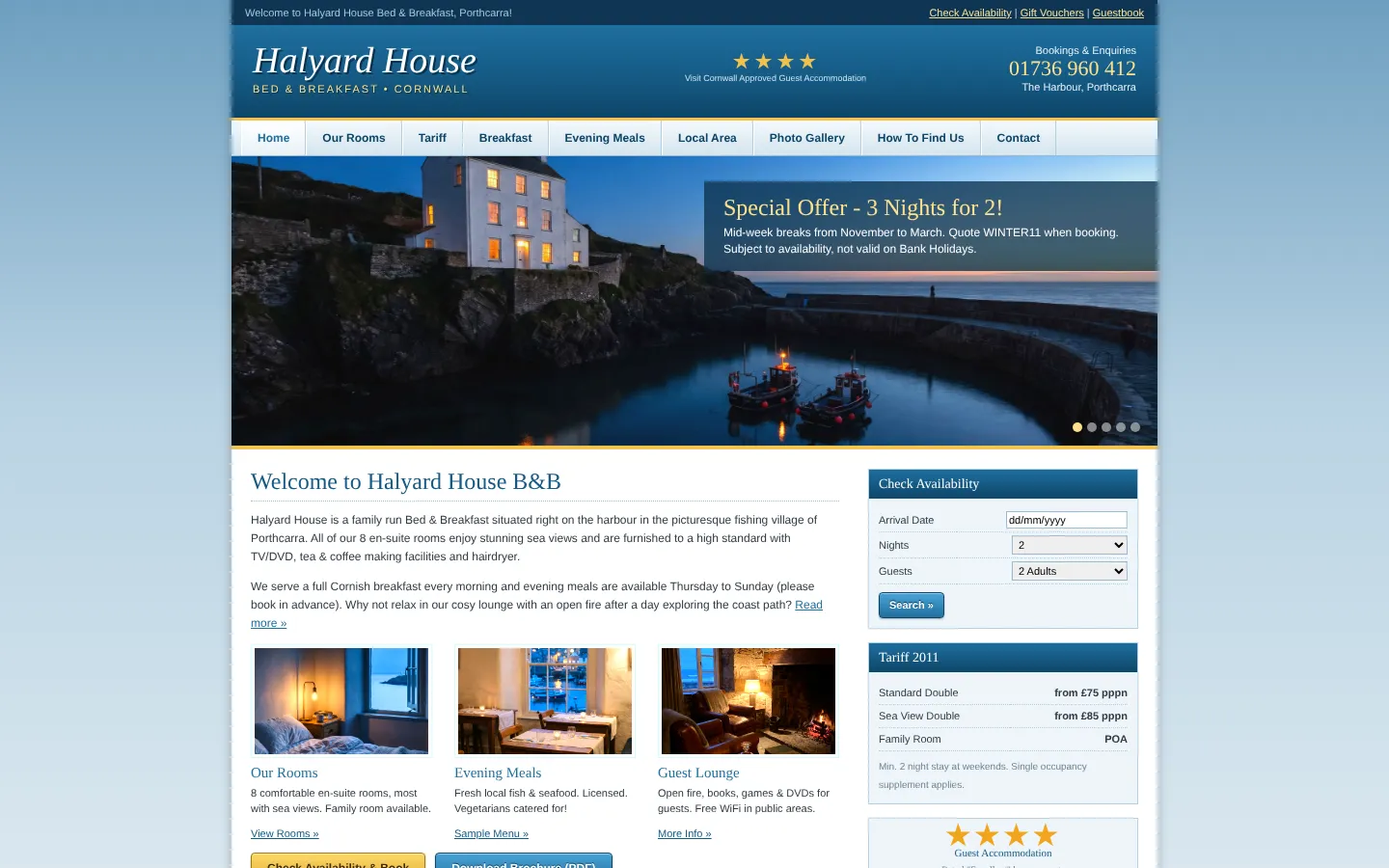
Colours: #155A85, #F2C14E, #FFFFFF · Fonts: Georgia, Verdana
Their first screen today: before.jpg
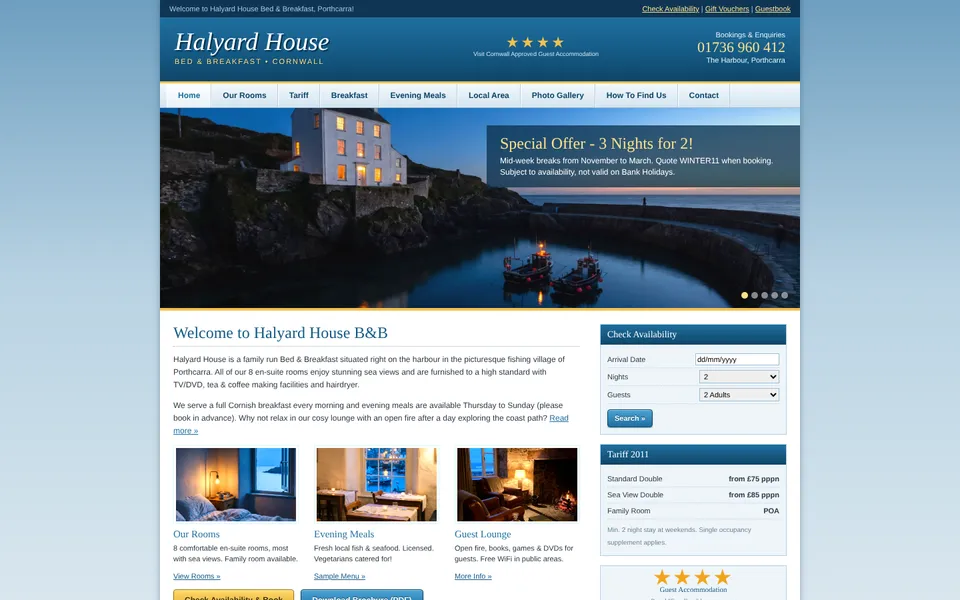
One question: pull the content out of the pages.
sonder_answer({ project: "halyard-house", task_id: "siteContent-a41c…", answer: {…} })
-
02
Pick a look
sonder_looksranks the 26 looks for this brand, with their posters. Your agent looks at them and chooses.sonder_looks({ project: "halyard-house" })
The looks for halyard-house, best fit first:
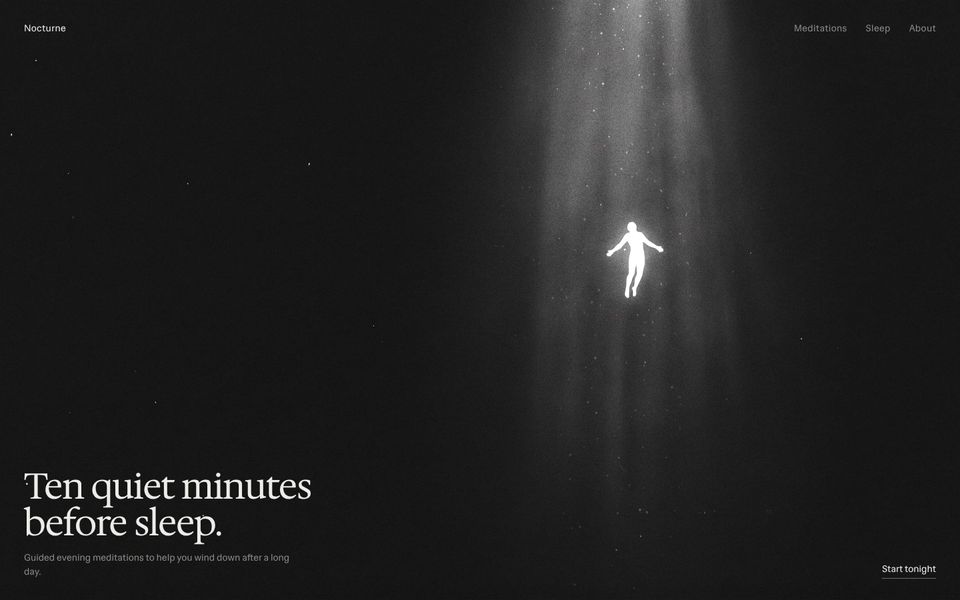
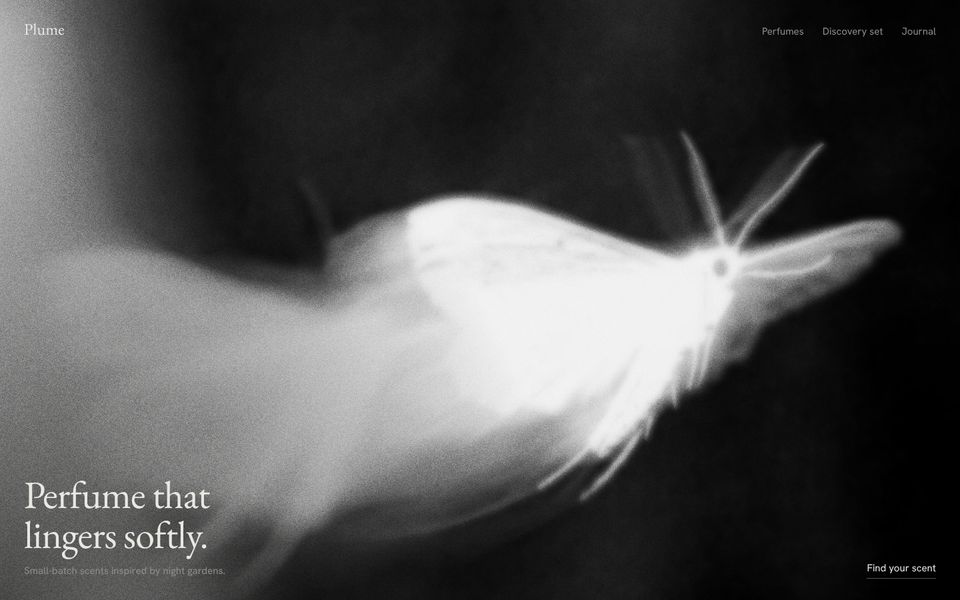
1. editorial · 2. small-light · 3. soft-mono · 4. japanese-minimal · …
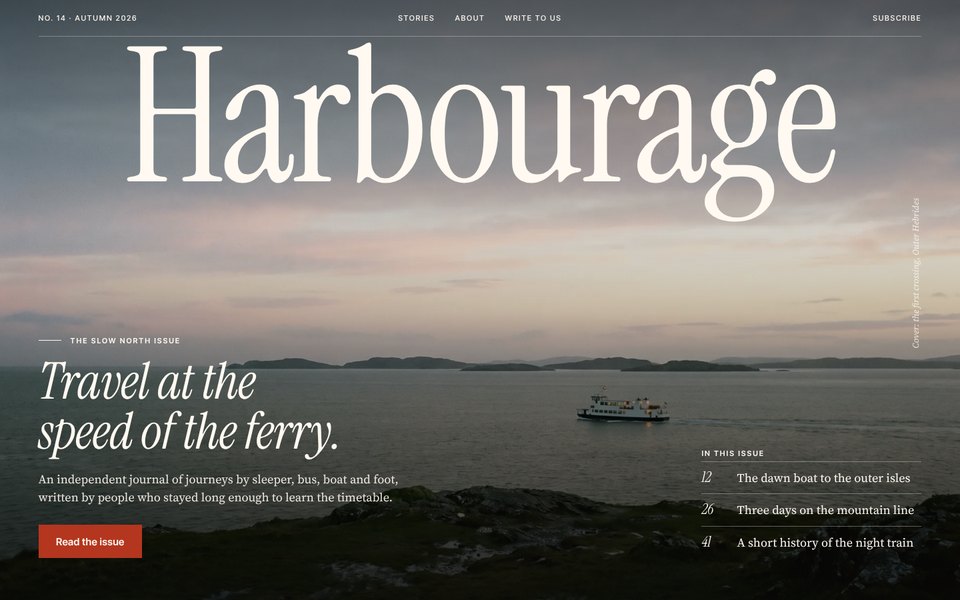
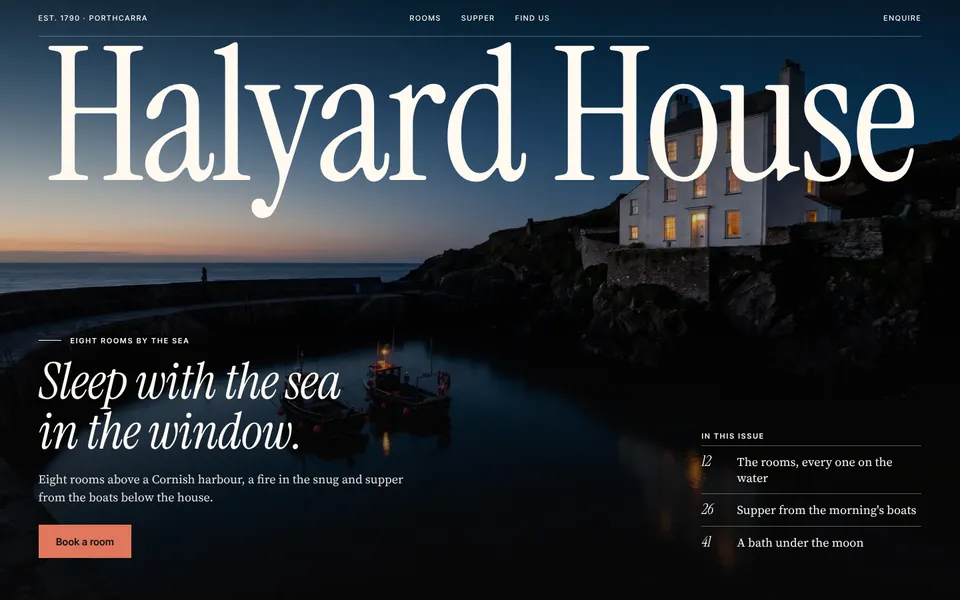
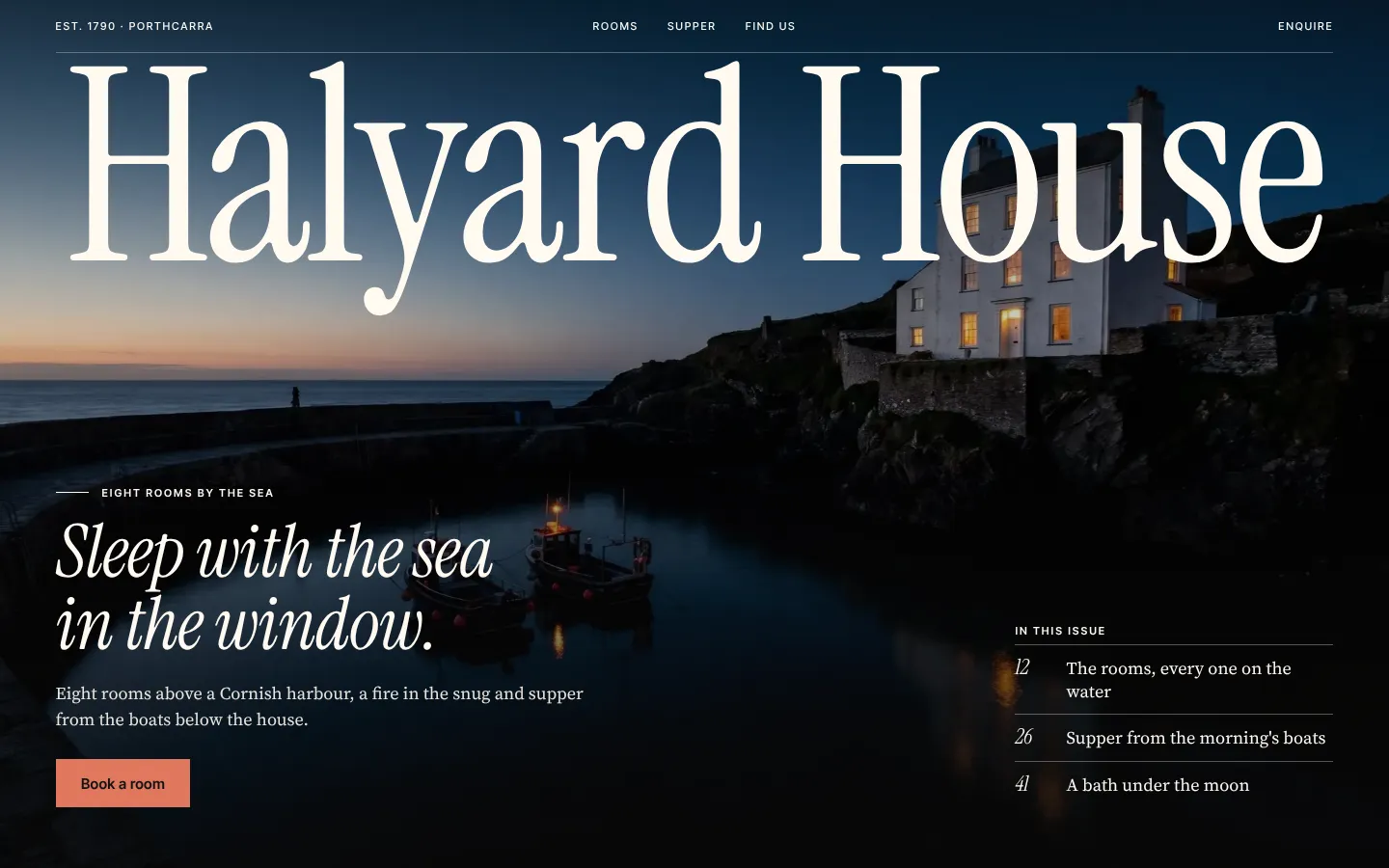
Editorial, in its Night version. A house above a harbour reads like the cover of a travel magazine, and their photo of it at blue hour can carry the masthead.
-
03
Fill
sonder_fillasks for the words one question at a time. Your agent writes them; Sonder checks each answer and sends back what fails.sonder_fill({ project: "halyard-house", look: "editorial", version: "night", size: "landing" })
A question: the first screen's words, as JSON.
sonder_answer({ …, answer: { headline: "Elevate your stay", … } })
Not taken: buzzword "elevate": "Elevate your stay".
sonder_answer({ …, answer: { headline: "Sleep with the sea in the window.", … } })
Filled. A local preview, screenshots at 1440 and 390, and the samples to replace.
-
04
Check
sonder_checkruns Sonder's floor in a real browser at 1440 and 390, and takes fresh screenshots.sonder_check({ project: "halyard-house" })
The floor passes: every check is fine.
pass No console errors
pass No sideways scroll on a phone
pass Text reads (4.5:1, large type 3:1)
pass Largest paint within 4 s on a phone (slow 4G)
pass No slop in the copy
-
05
Publish
sonder_publishputs the site online at a link, or on the client's own domain.sonder_publish({ project: "halyard-house" })
Published: https://…/halyard-house
The floor passes.
It's live. The words marked as samples are listed in the project folder for you to confirm with the client.
Batch pitches
A list of prospects in. Before and afters out.
sonder_pitch takes a list of sites. Each is read and given the look that fits it best, with no two alike in the batch. Every project asks its own questions, so a subagent can take one each, and you get a before and after of every site with one contact sheet of them all.
Pitch these three. One subagent each.
sonder_pitch({ urls: ["example.com", "example.org", "example.net"] })
Pitch batch 2026-10-28-4c1e: 3 sites. Each waits on a question; answer each with sonder_answer (any order; a subagent per project works).
- example-com (luminous): task_id pitchLook-…
- example-org (aura): task_id pitchLook-…
- example-net (etched): task_id pitchLook-…
Three subagents are answering, one project each.
Done. A before and after of each, and contact-sheet.jpg.
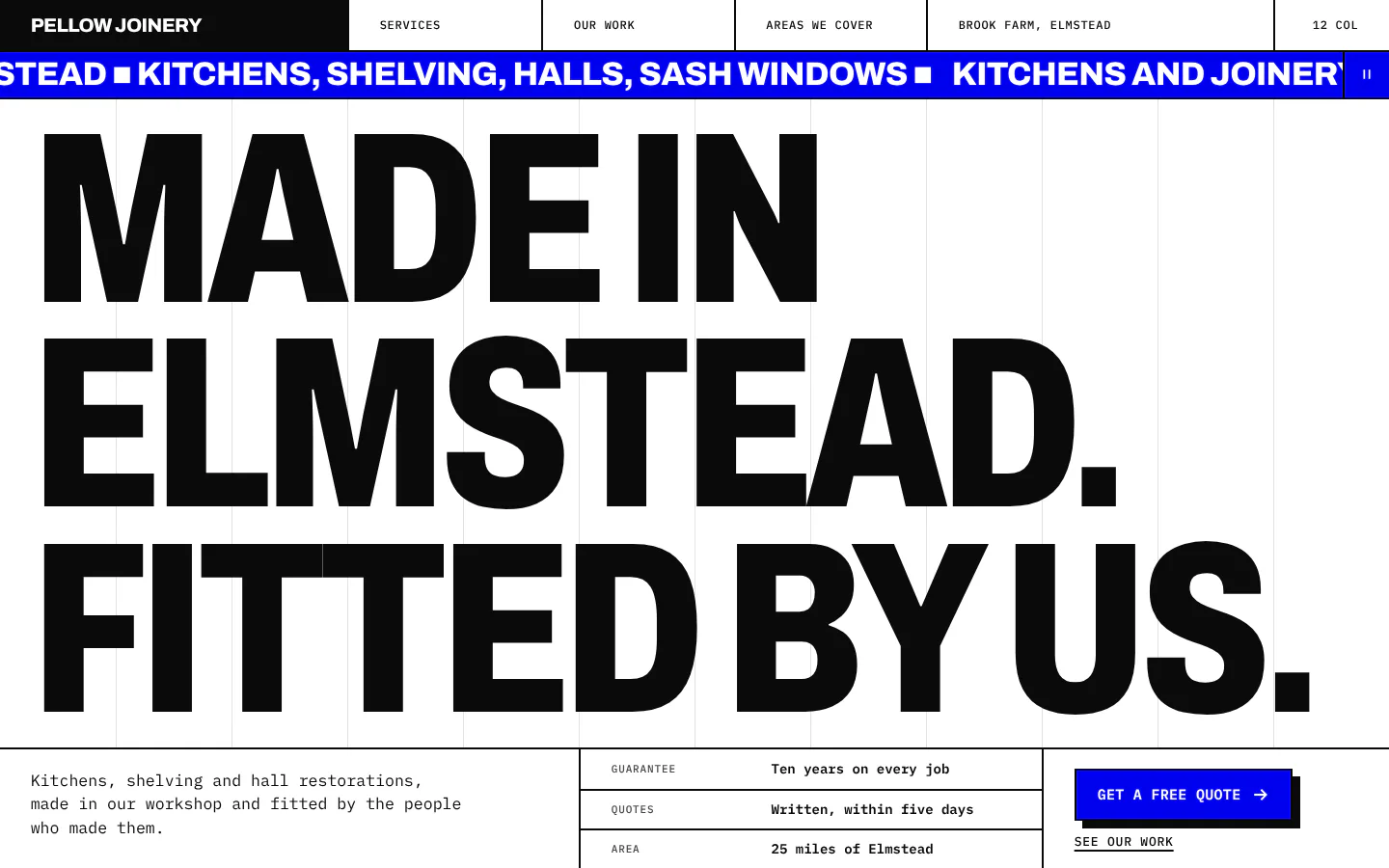
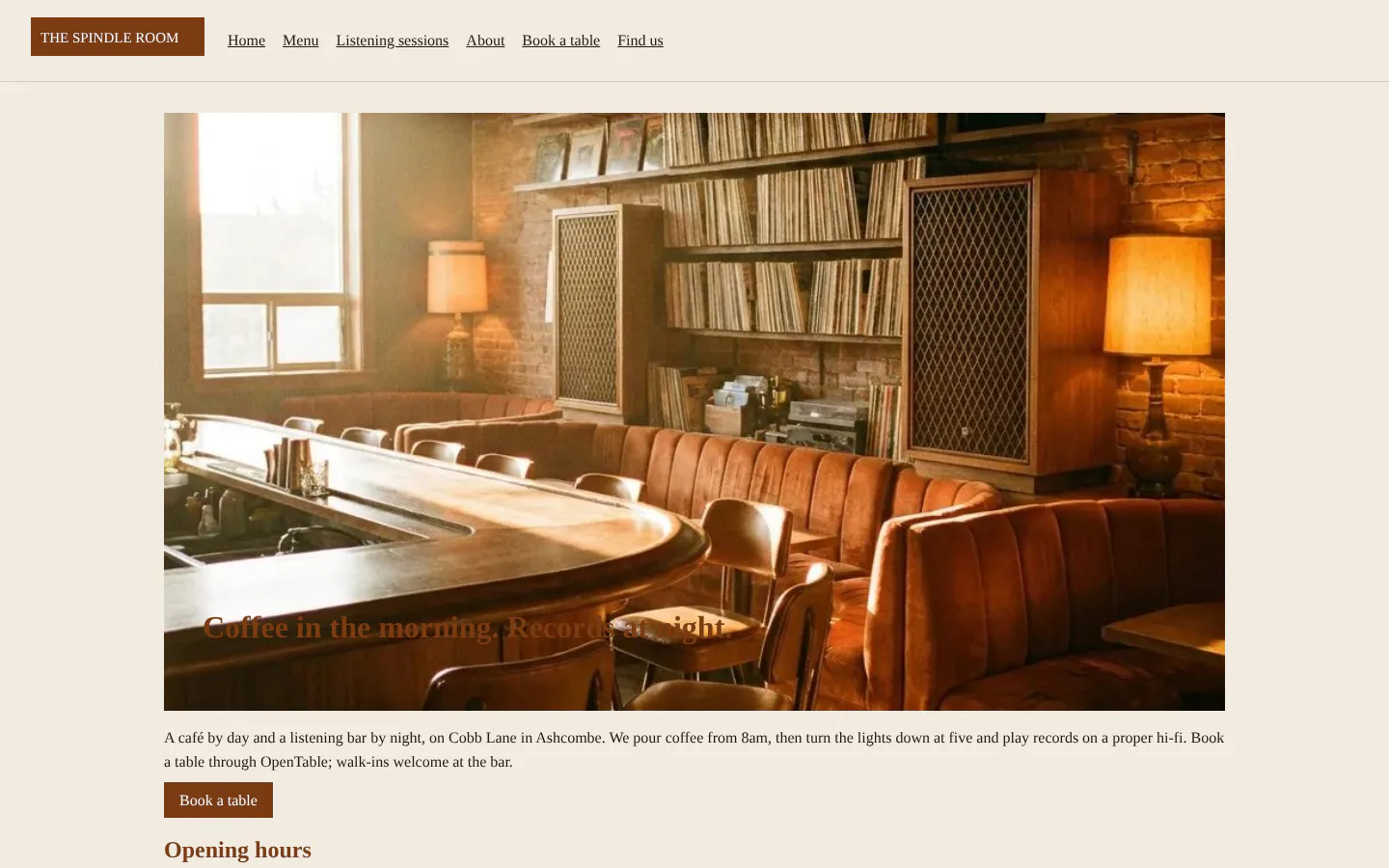
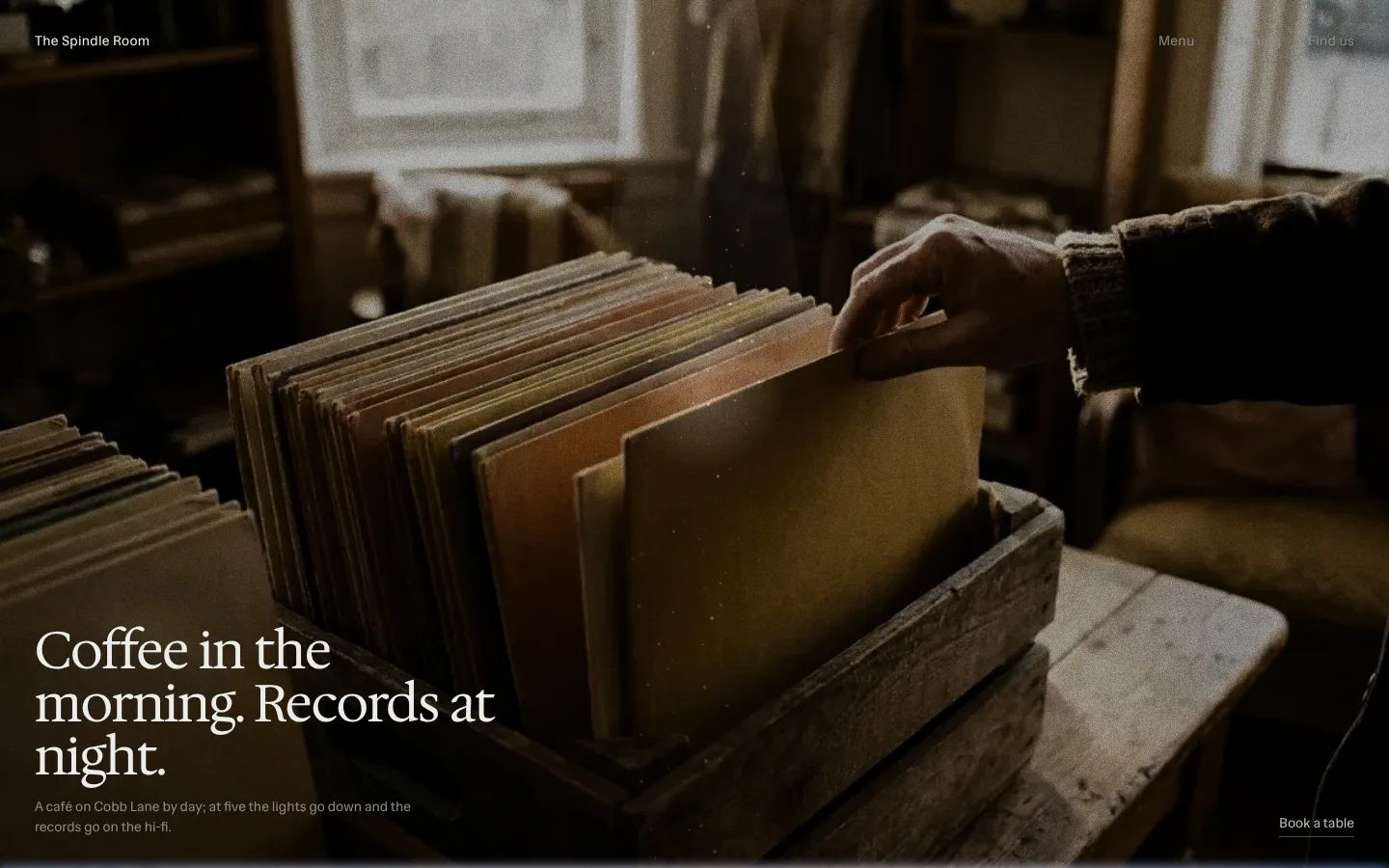
Before and after
The site they have. The site you pitch.
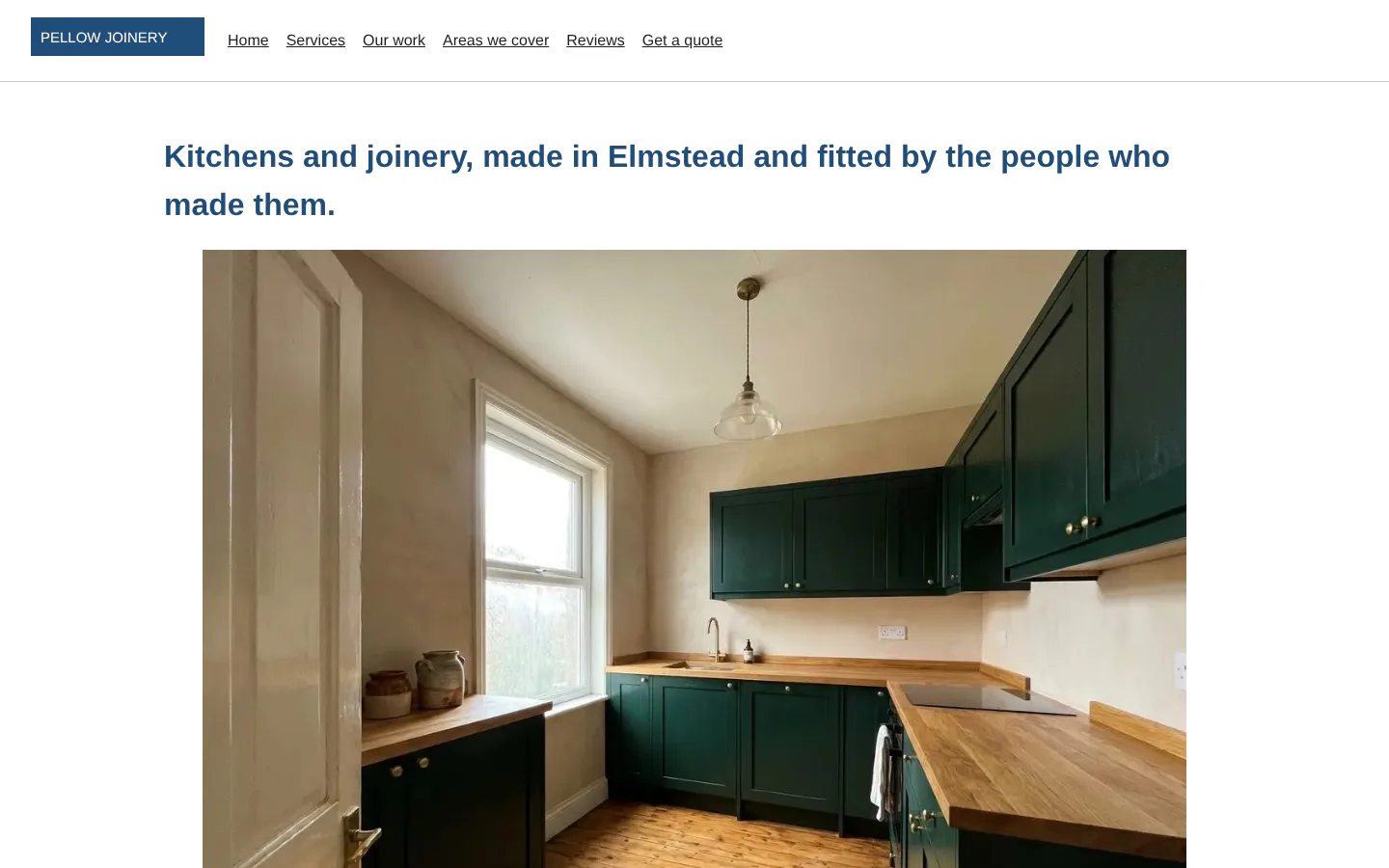
Three businesses, each read from the site they have today and filled in the look that suits it.
Drag the line, or use the arrow keys.
The looks
26 beautiful, ready-to-use templates for your agent.
Every look has its own type, motion, sections and pages, and is filled with the client's words, colours and pictures. Open any of them as it runs.
- 01Small light in the dark
Black-and-white photographs, a lot of dark and one small glowing subject.
- 02Aura gradients
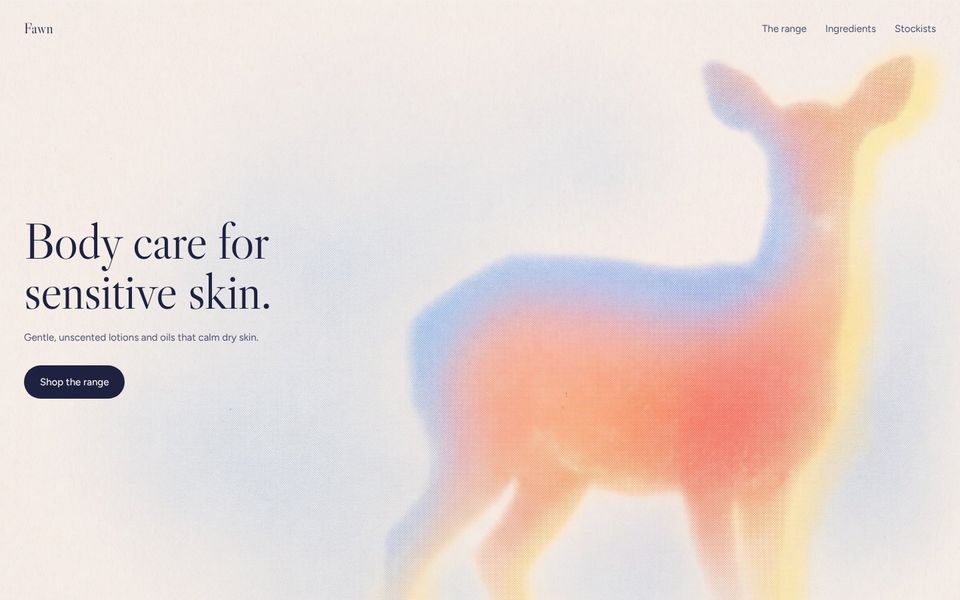
Soft, glowing pastel gradients shaped into a subject, with fine grain.
- 03Soft monochrome
Blurred, grainy black-and-white photographs caught in motion.
- 04Particle light
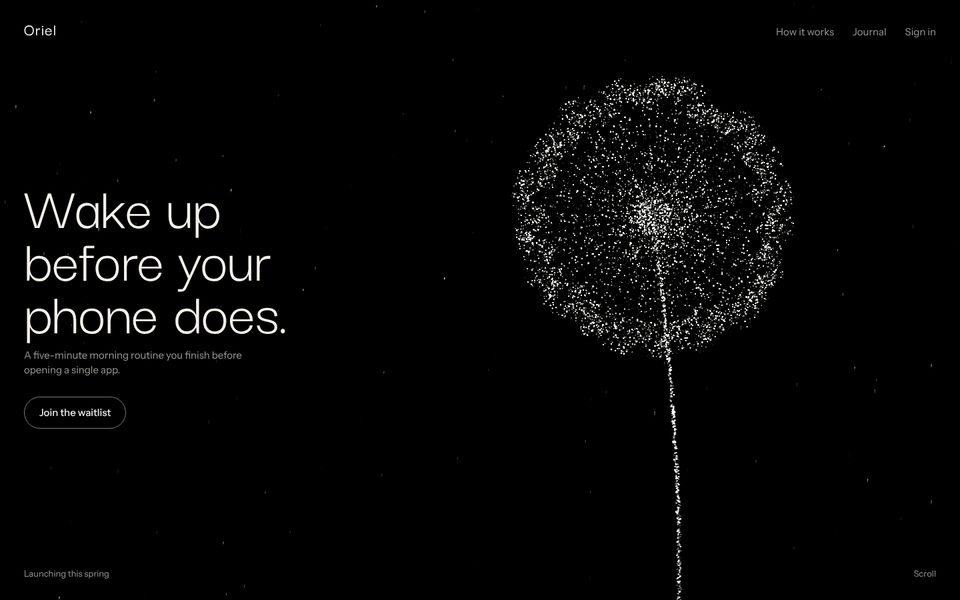
Thousands of points of light that form shapes and tell a short story.
- 05Luminous color
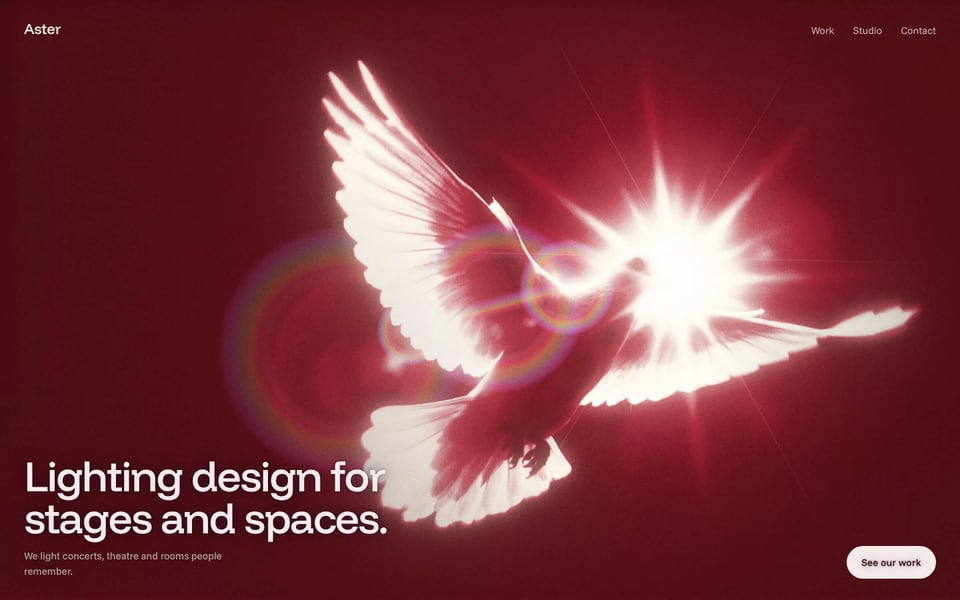
A subject glowing with real light on one strong colour.
- 06Etched line
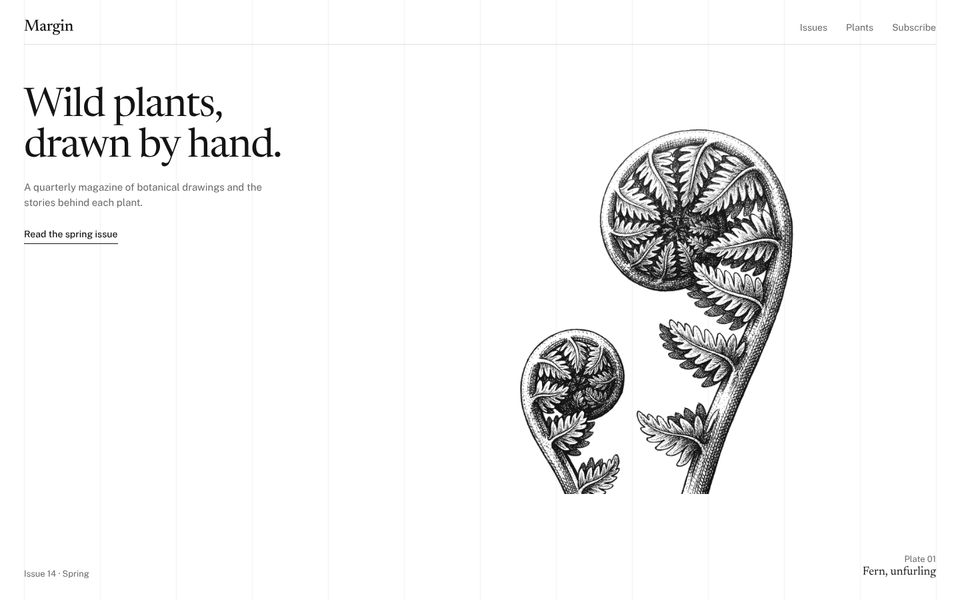
Ink drawings of wild plants that draw themselves as you watch.
- 07Roman prestige
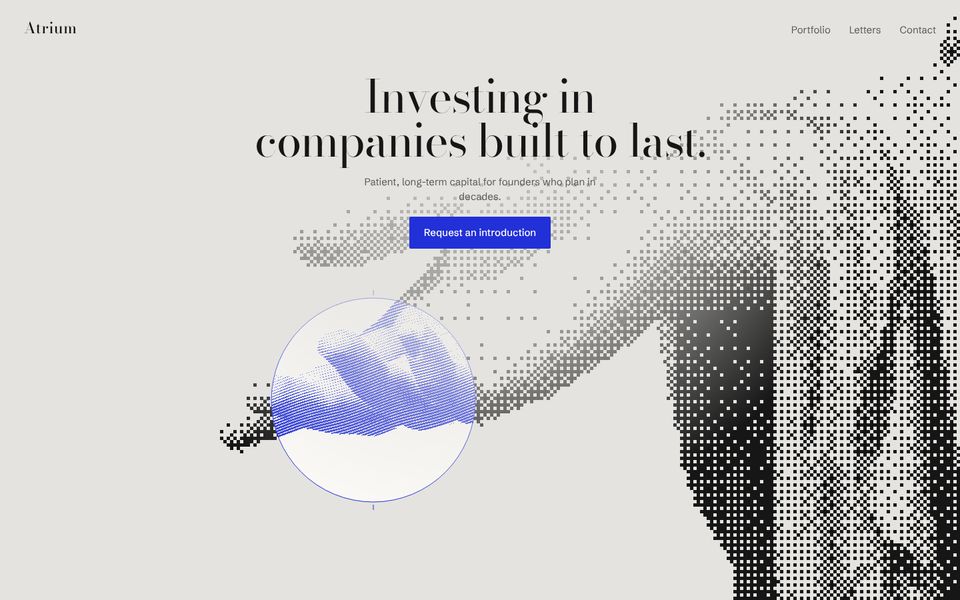
Classical statues and ruins turned into pixel, dot and engraving textures.
- 08Flat colour, big type
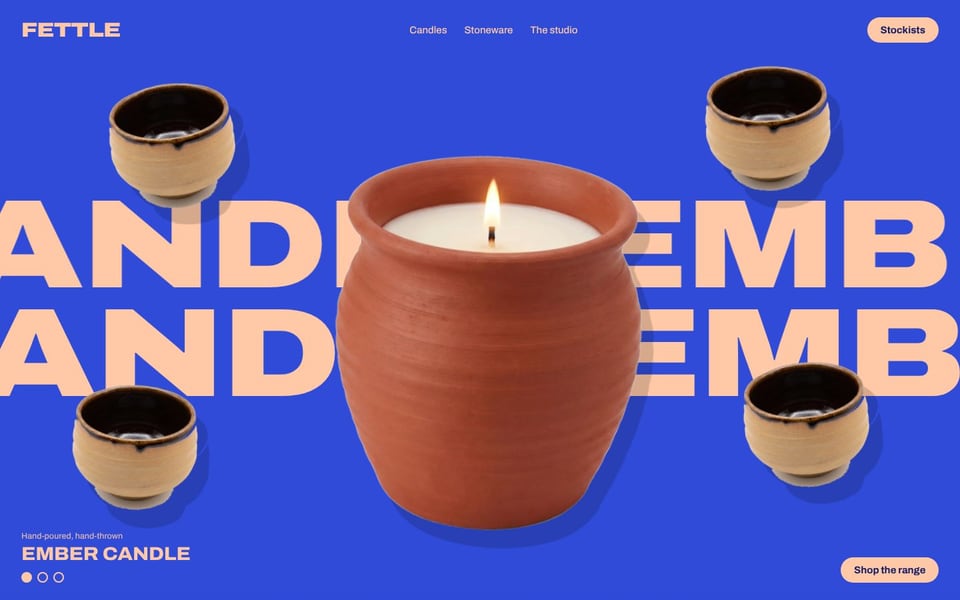
Bold flat colour, huge type and the product front and centre.
- 09Type-led editorial
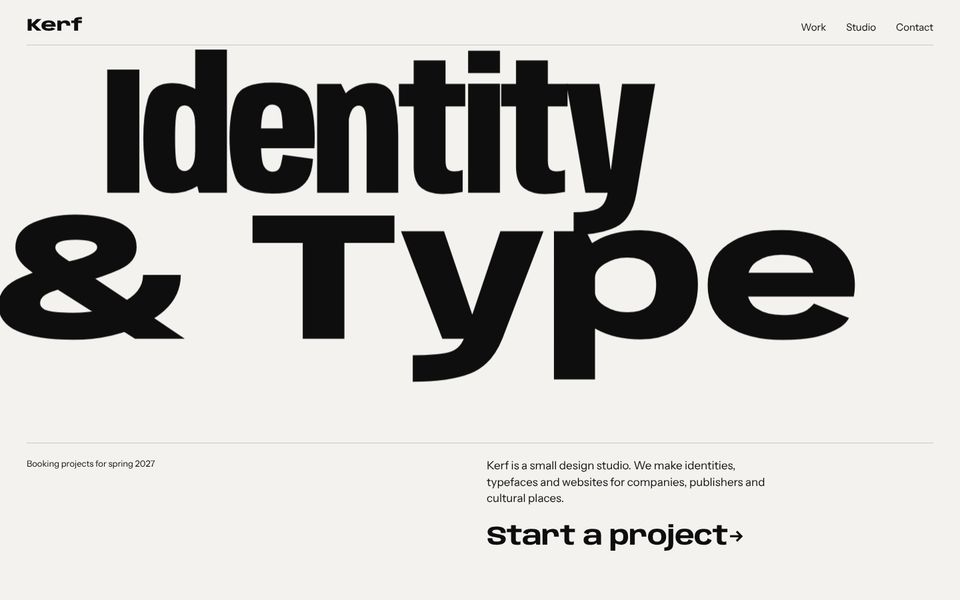
Big, expressive type is the picture, on a strict editorial grid.
- 10Product-forward tech
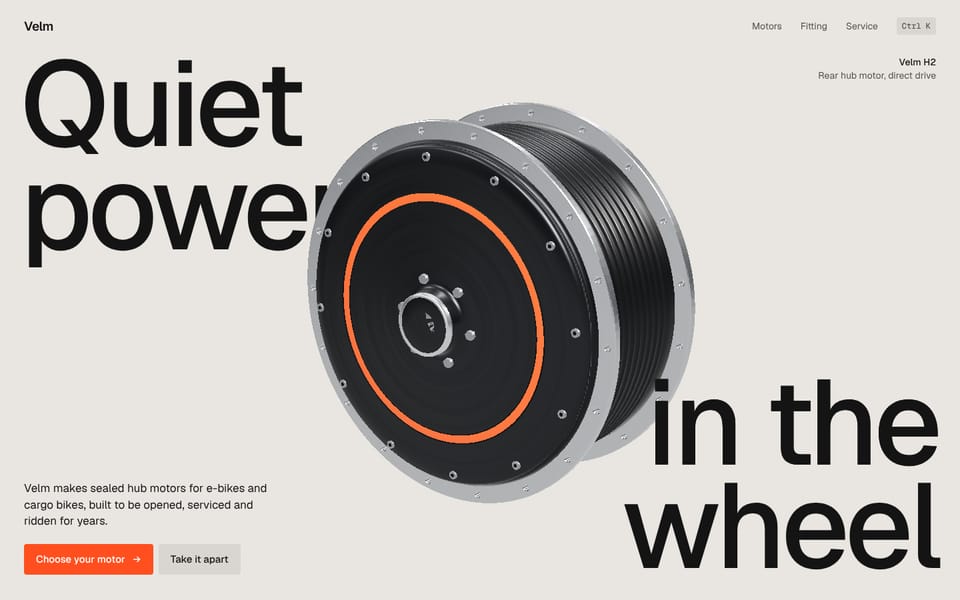
The real product set right into big type, on a calm warm grey.
- 11Playful and tactile
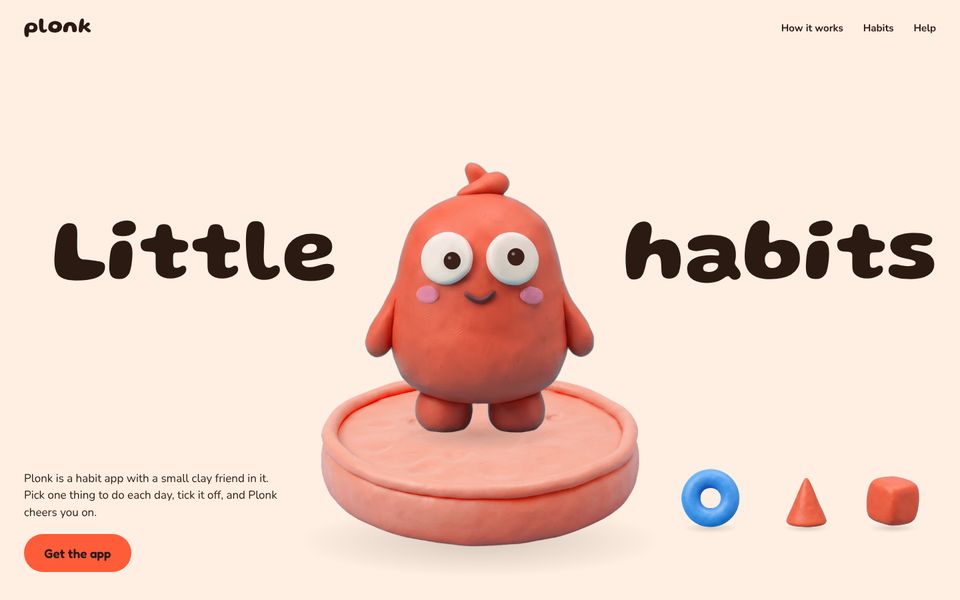
Clay and toy-like 3D, rounded type, things that bounce and react.
- 12Warm and organic
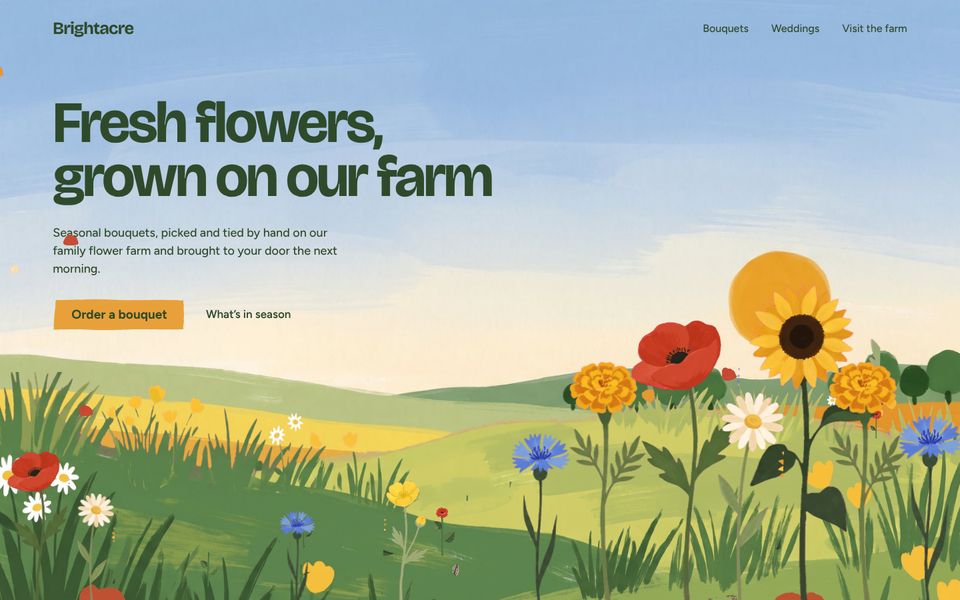
Gouache flowers, leaves and fields, with seeds that blow across the page.
- 13Structured and technical
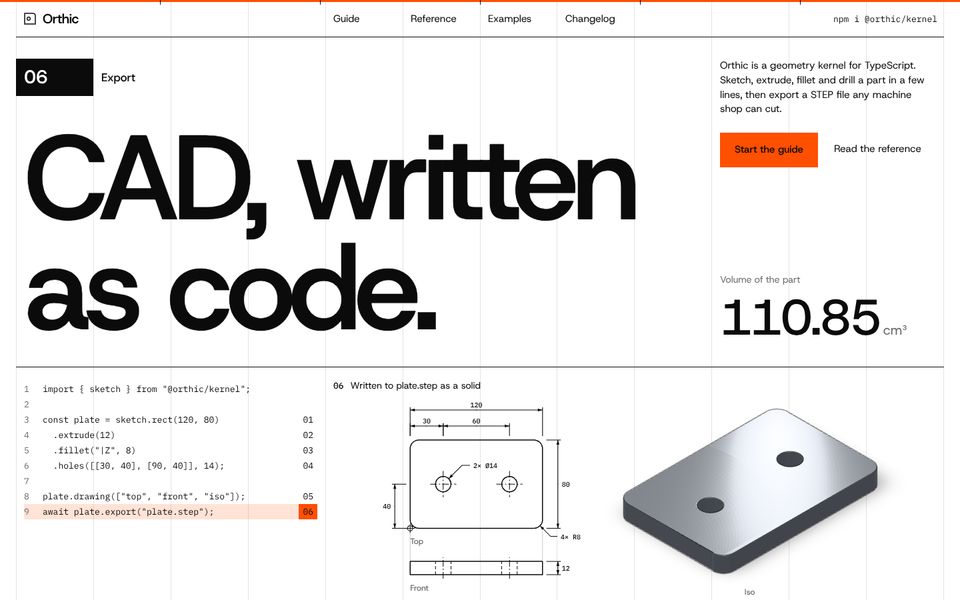
A Swiss grid you can see: rules, numbered sections and real figures.
- 14Storefront
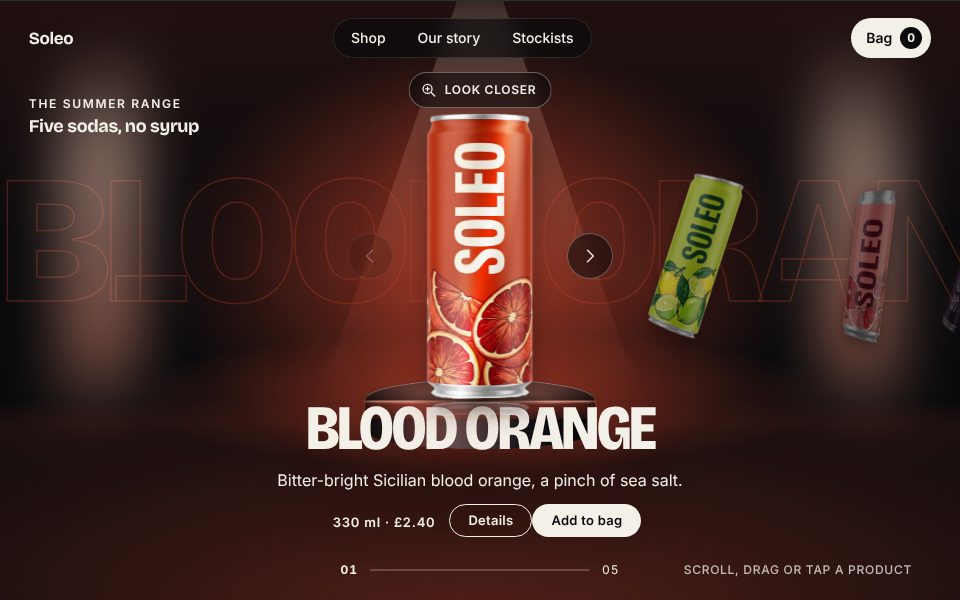
The store is the home page, and every product opens up close.
- 15Terminal
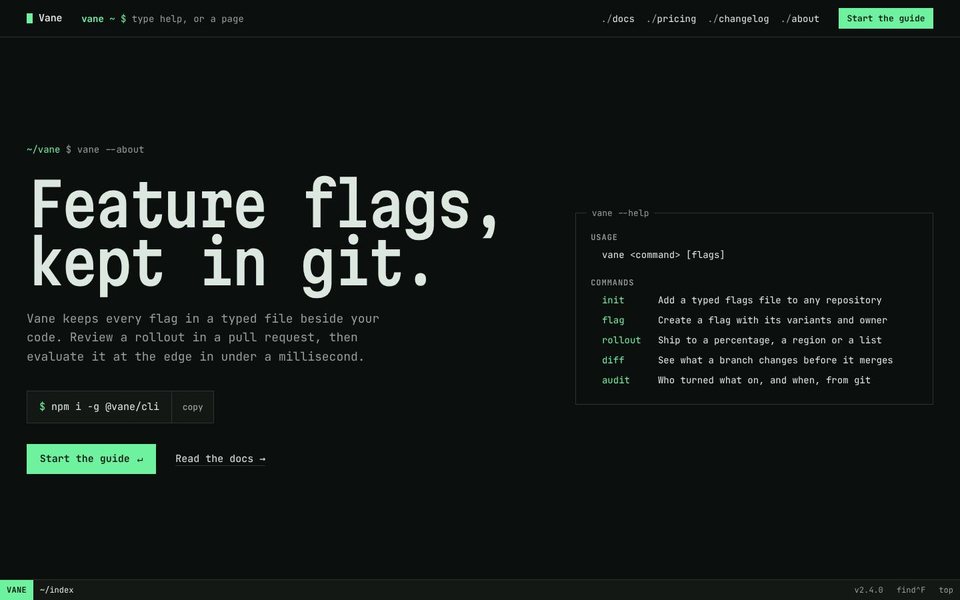
The whole site as a command line, its words arriving as fast typed output.
- 16Pixel
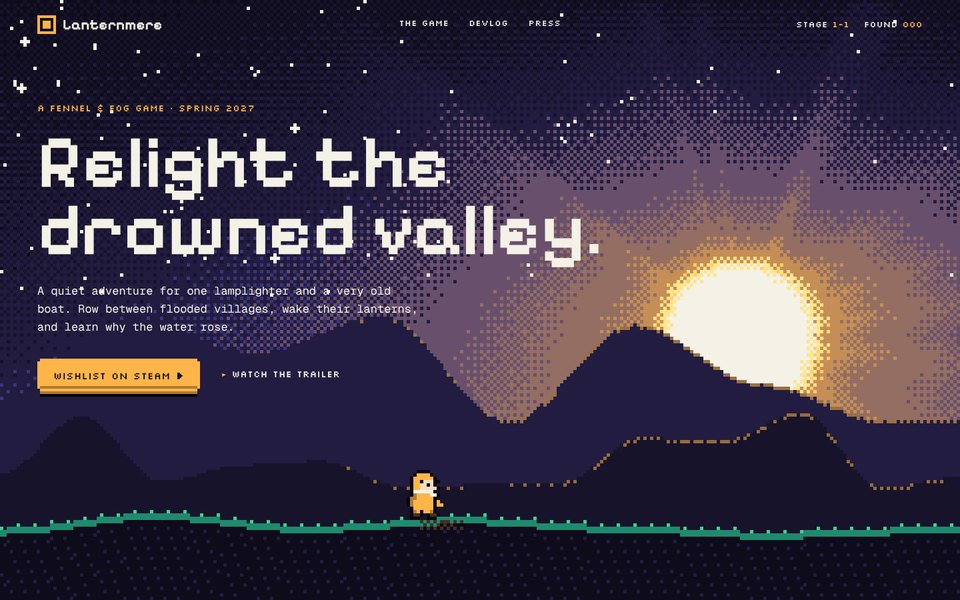
The site plays a little like a game: a title screen, a world in cells and a small traveller.
- 17Riso
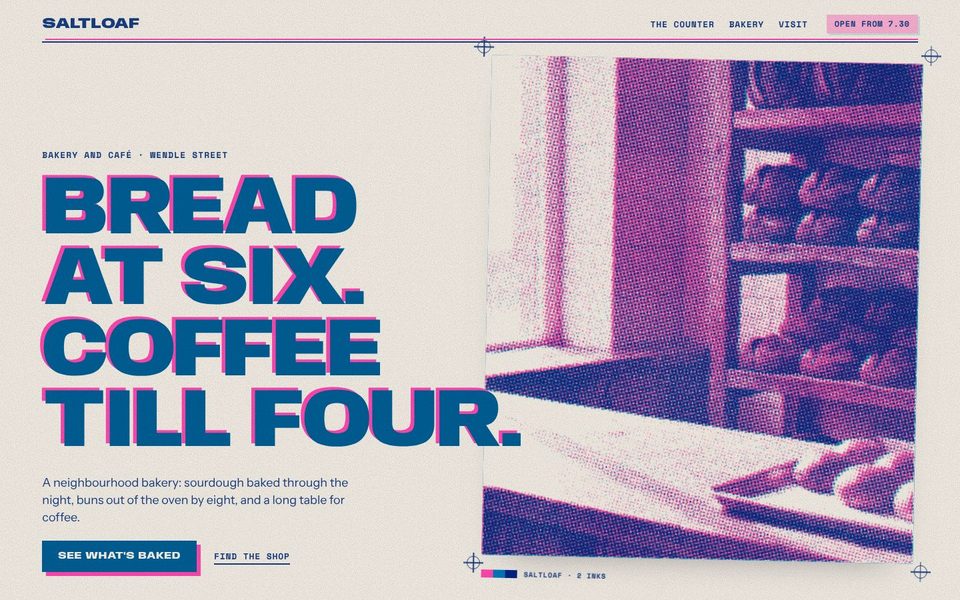
A site printed on a risograph: spot inks overprinting, grain and chunky poster type.
- 18Japanese minimal
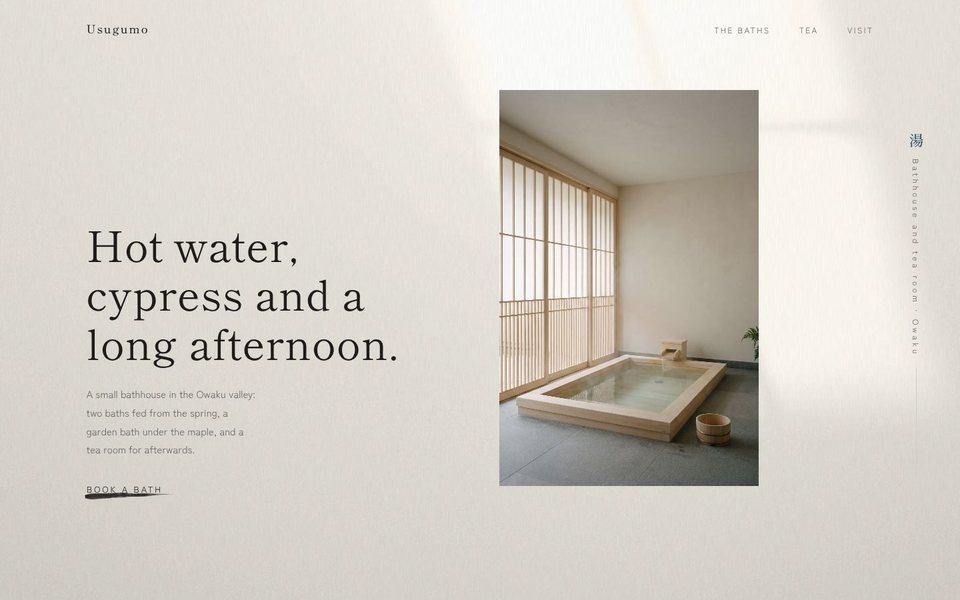
A great deal of space, a quiet palette, fine hairlines and labels down the margin.
- 19Seventies
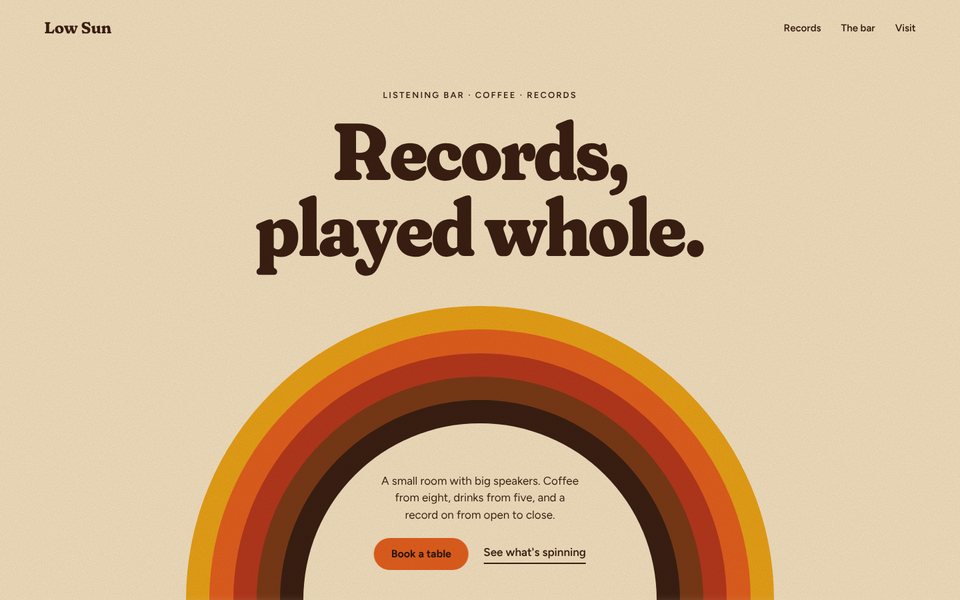
A warm album sleeve: cream paper, bands of orange and brown, rainbow arcs and arches.
- 20Editorial
A magazine as a website: a cover, a contents page and spreads that turn.
- 21Brutalist
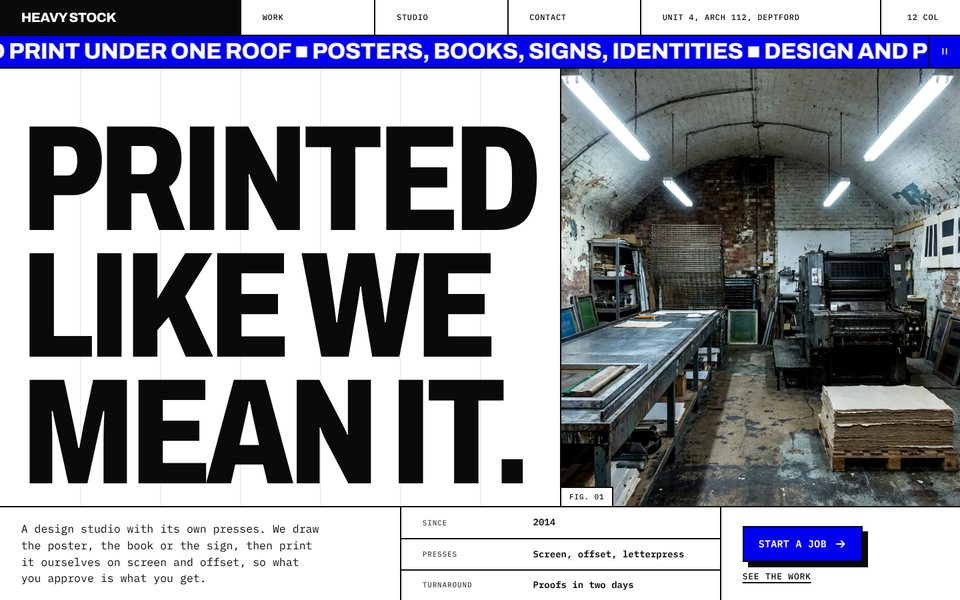
Honest structure: a grid you can see, two-pixel rules, hard blocks and hard shadows.
- 22Swiss
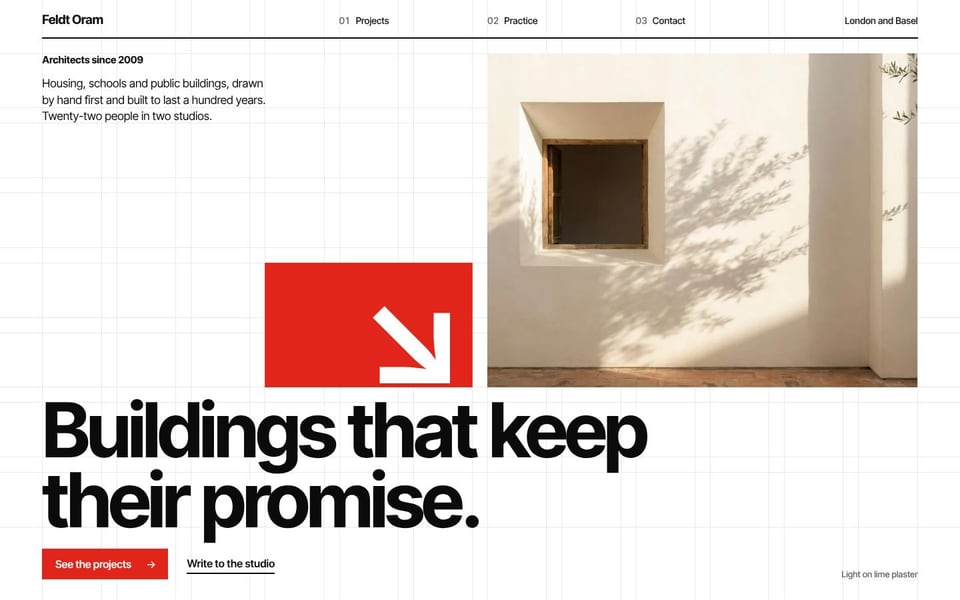
The International Typographic Style: a strict grid, one big grotesk and one red.
- 23Clay
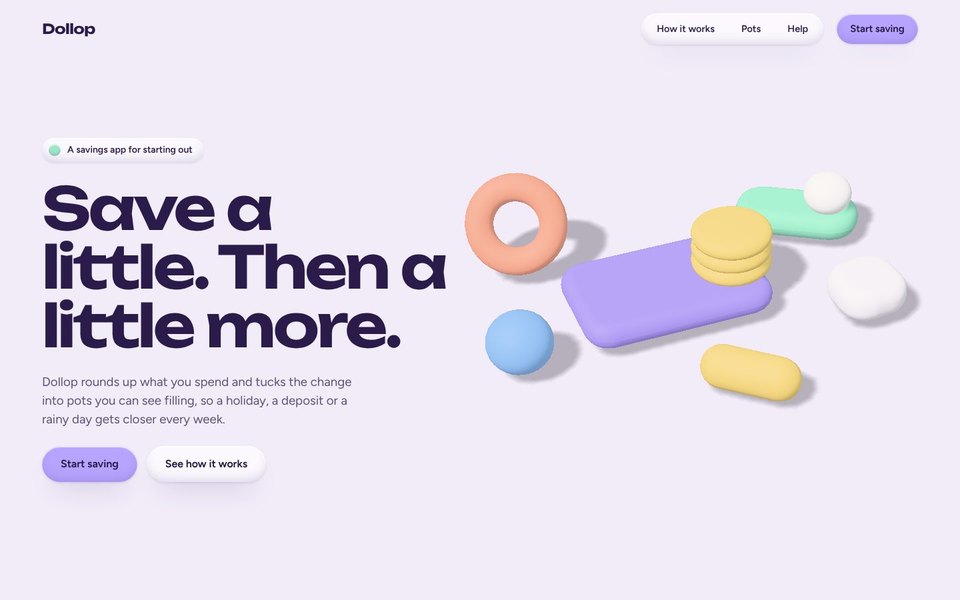
A product's interface in soft clay: inflated buttons and cards that squash when pressed.
- 24Chrome
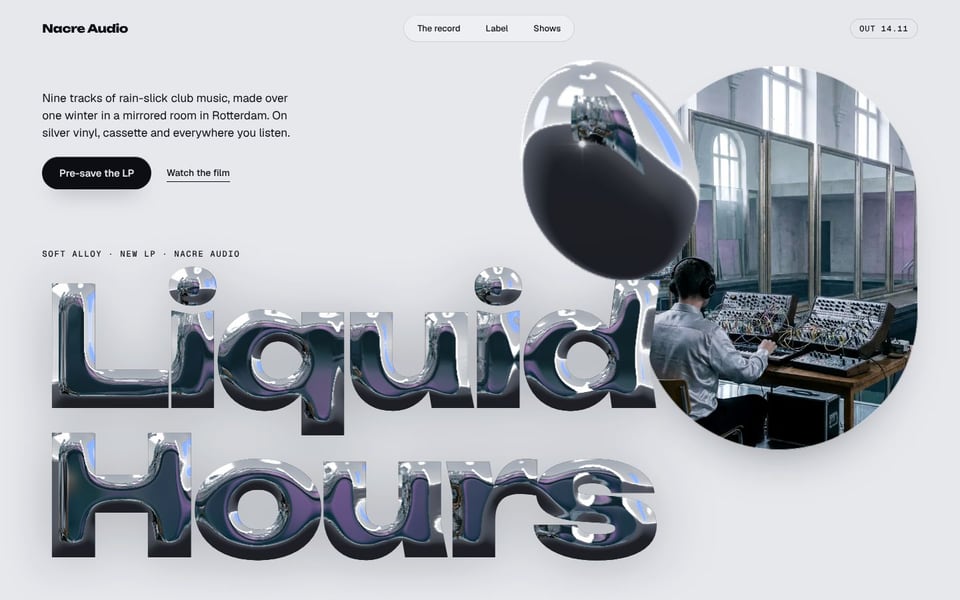
Early-2000s futurism: liquid chrome, polished bubble letters and a glassy interface.
- 25Collage
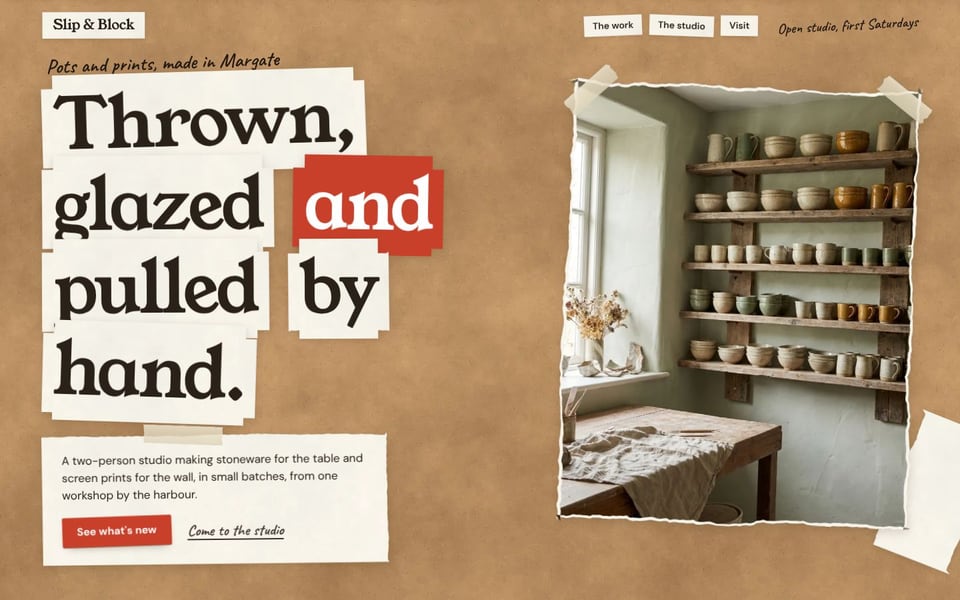
A site stuck down on a board: cut-out photos, torn papers, tape and hand-written labels.
- 26Hand-drawn
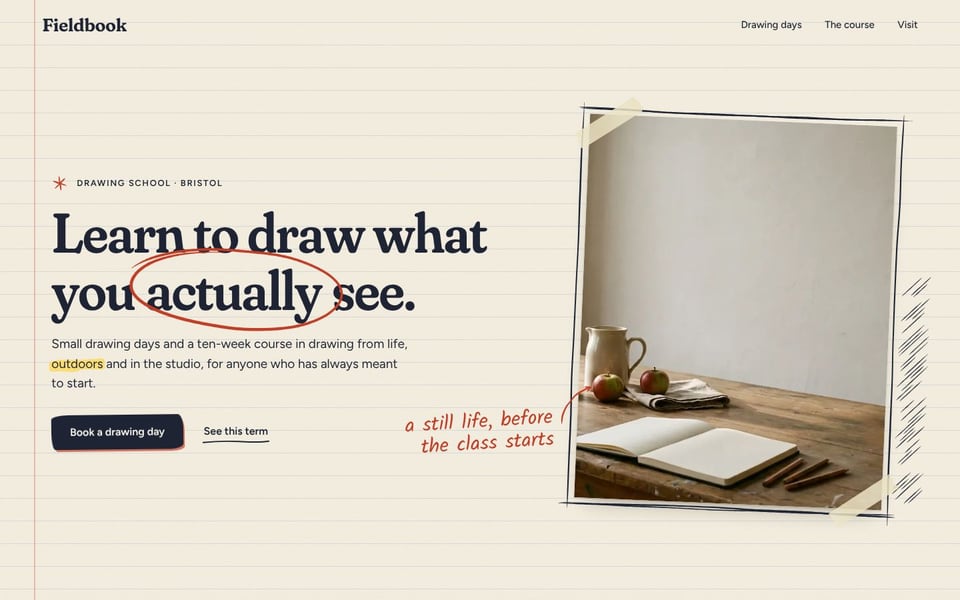
A sketchbook as a website: lined paper, a key word circled, photos taped in and framed in pen.
In motion
Made to be moved through.
Six moments from the looks, recorded as they run in a browser: light, chrome, stone, flowers and points of light, moving with the visitor.
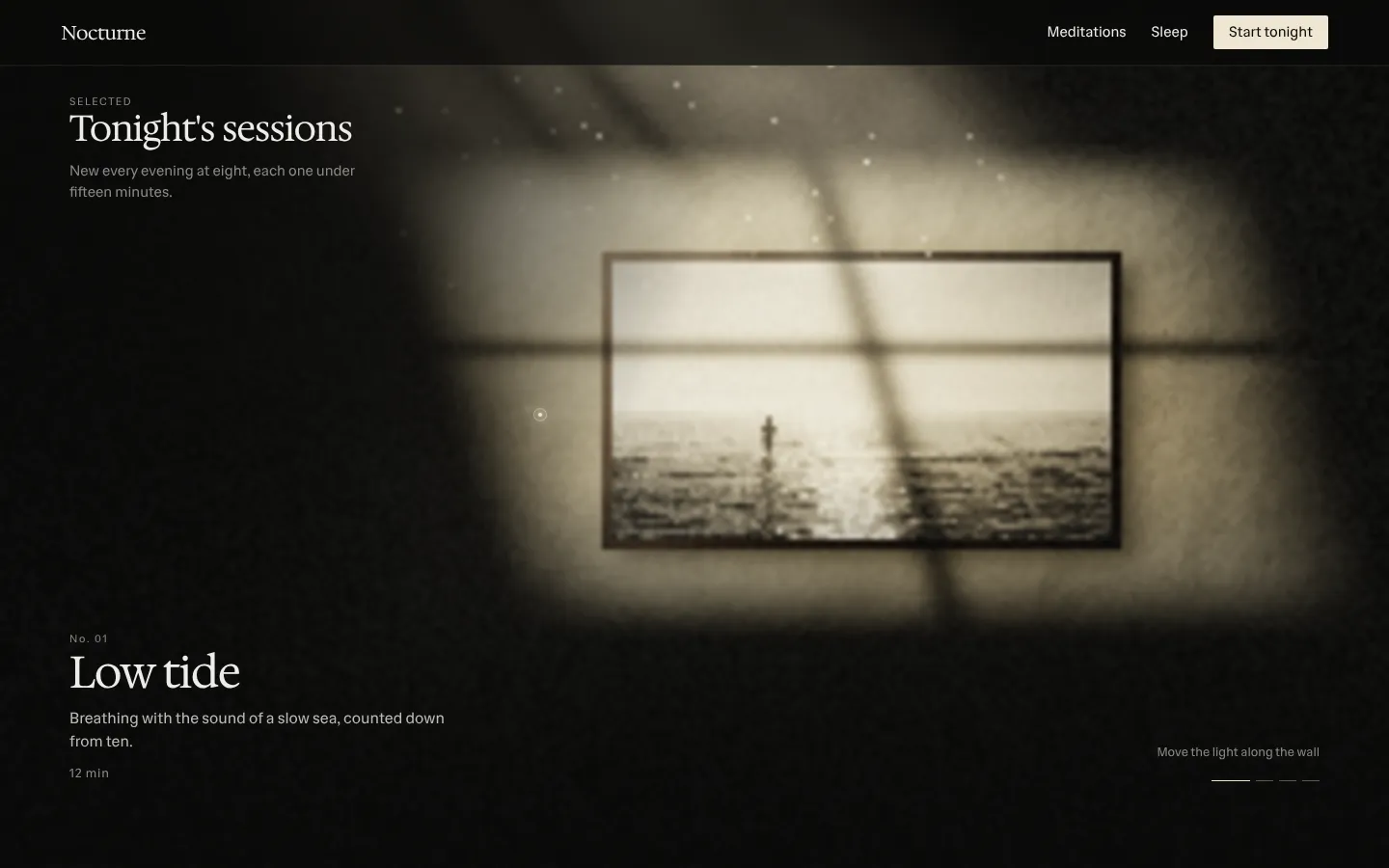
01Light finds the room· Small light in the dark
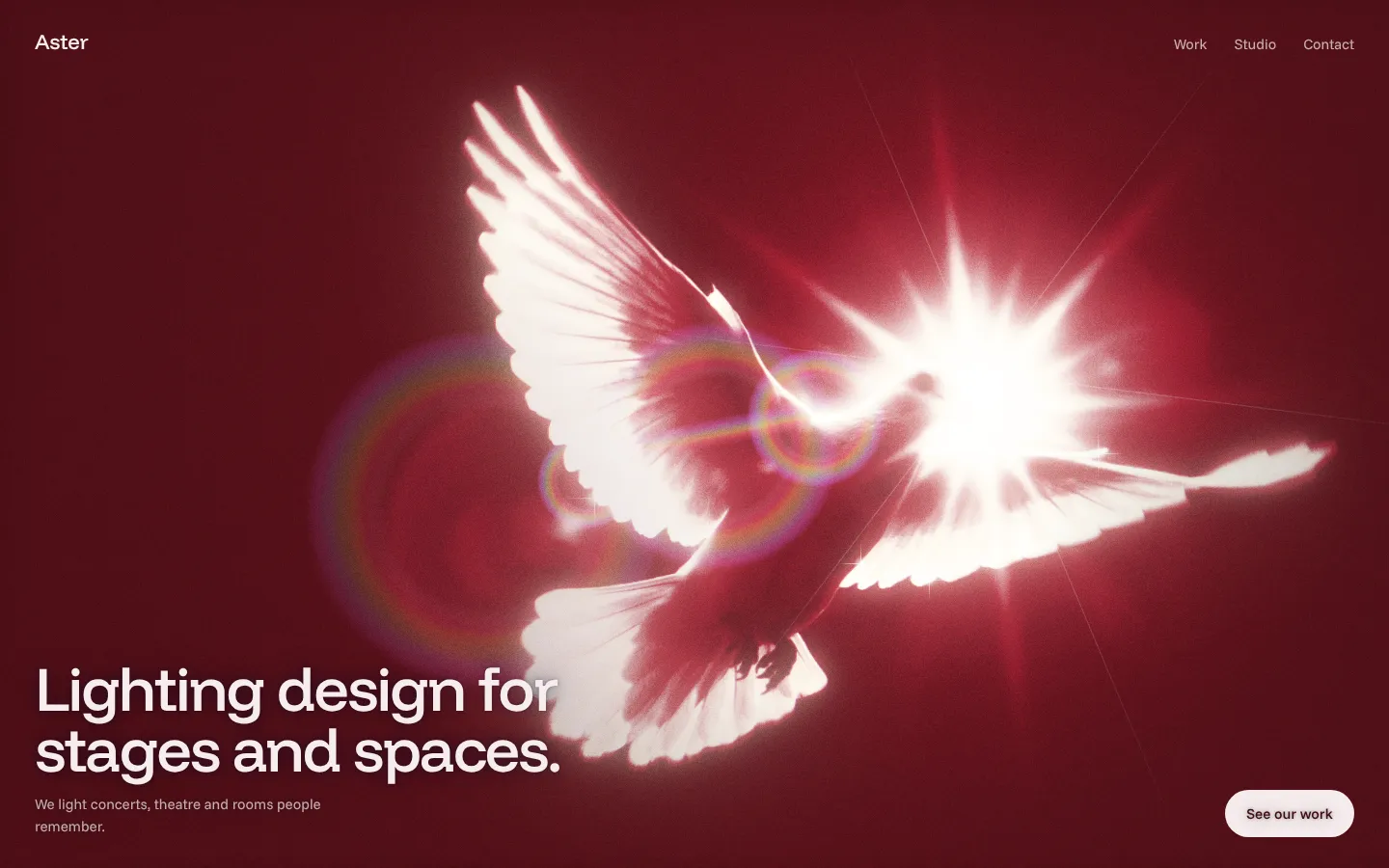
02The dove in the light· Luminous color
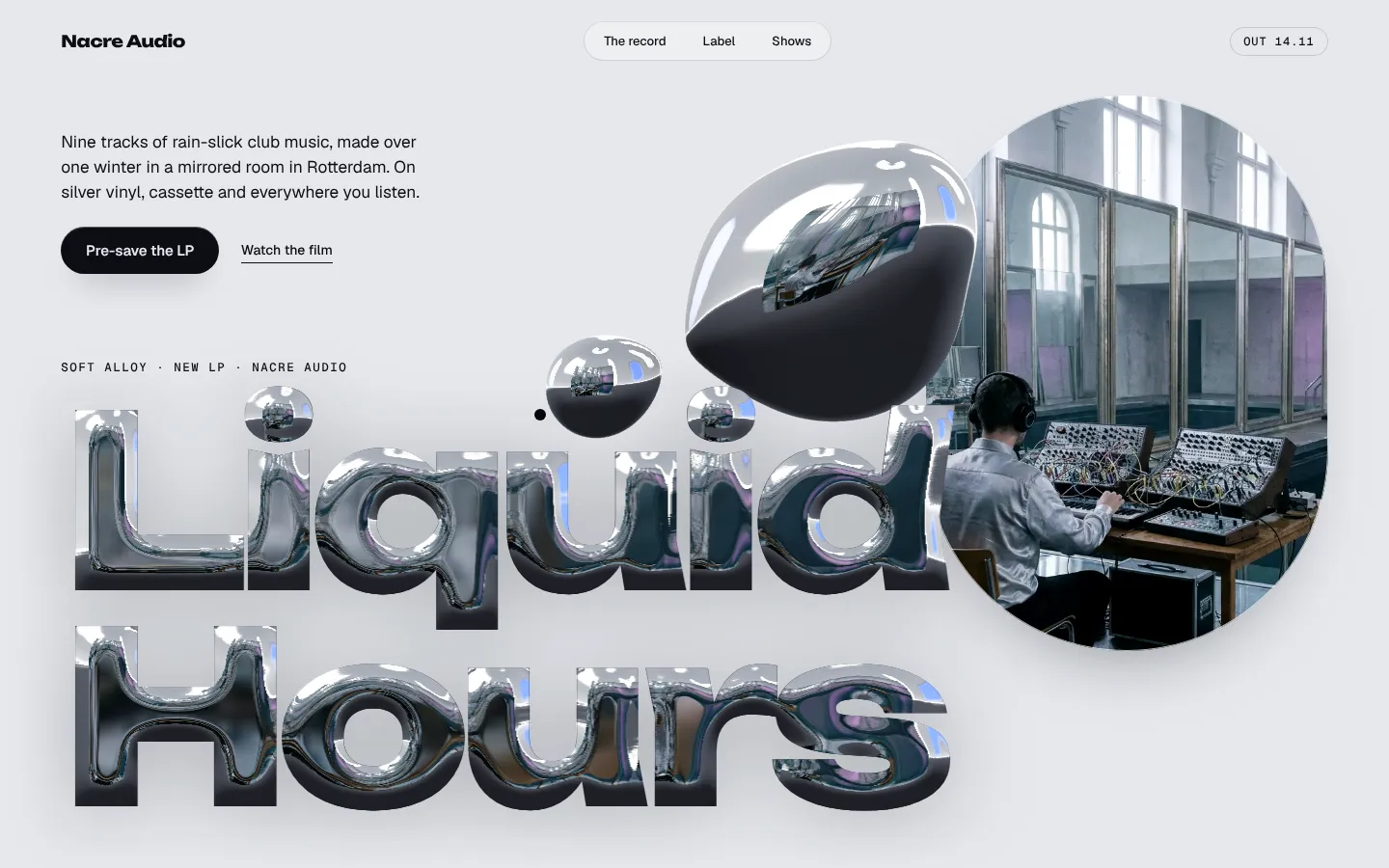
03Type poured in liquid chrome· Chrome
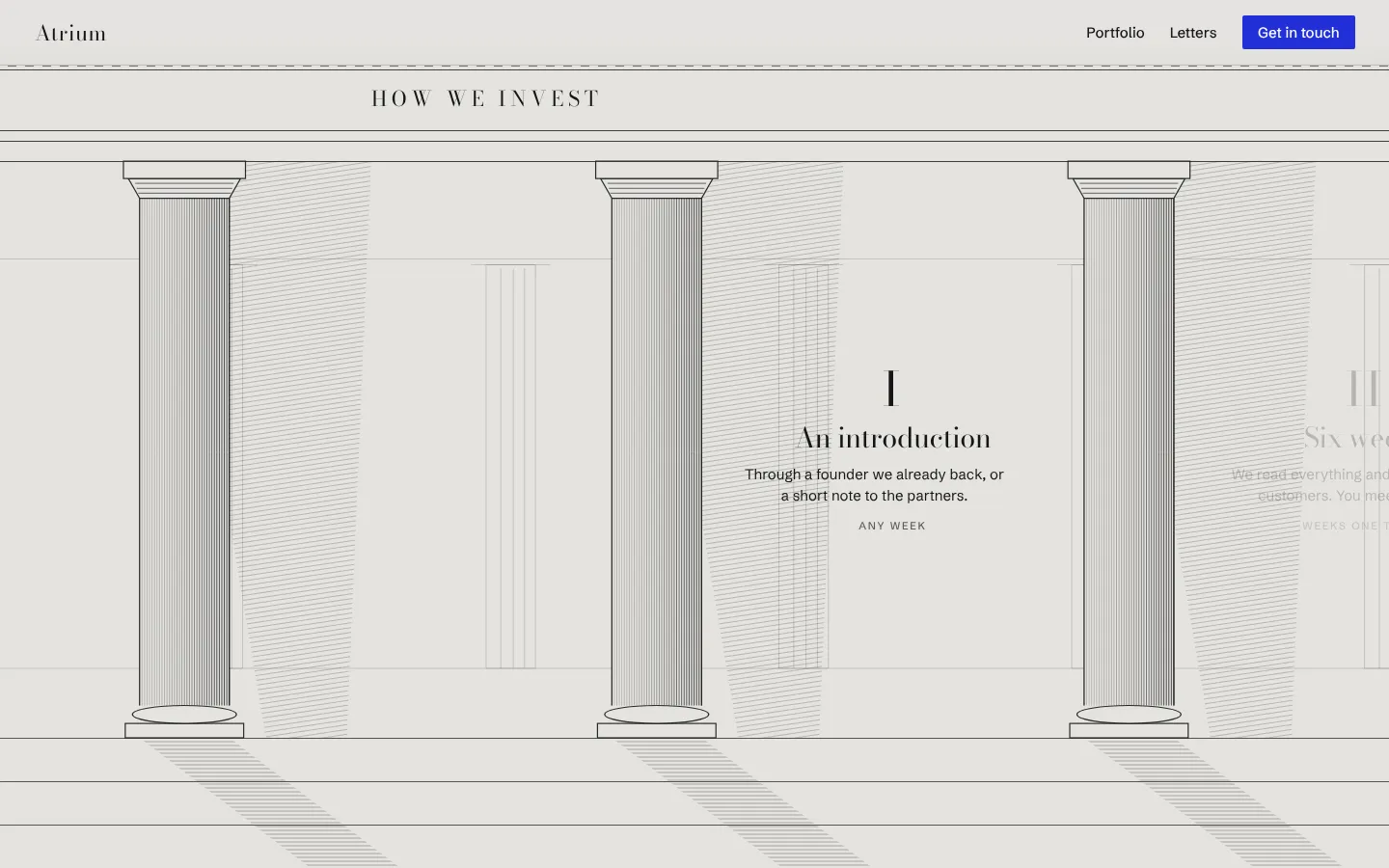
04A walk through the colonnade· Roman prestige
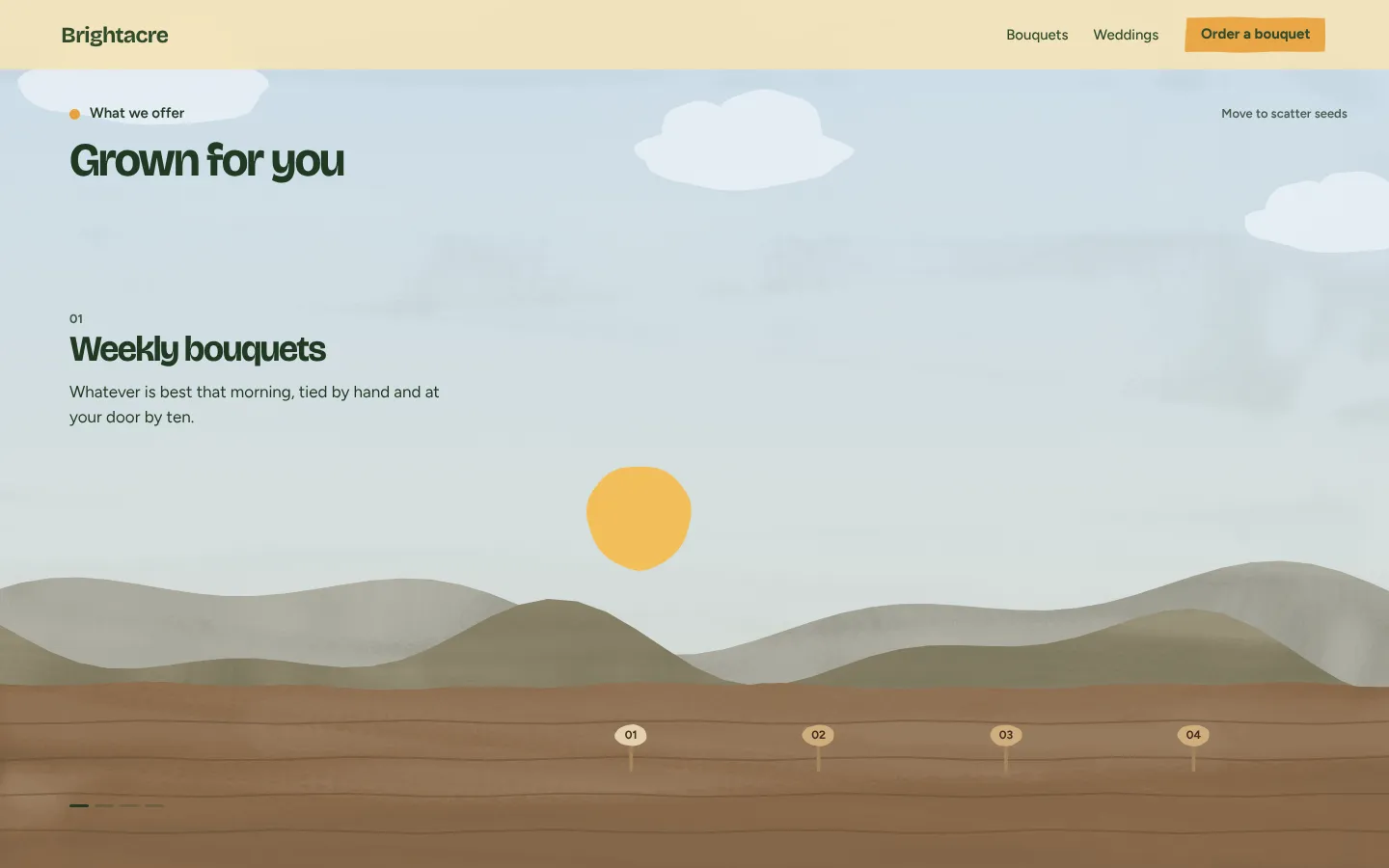
05A season grows in· Warm and organic
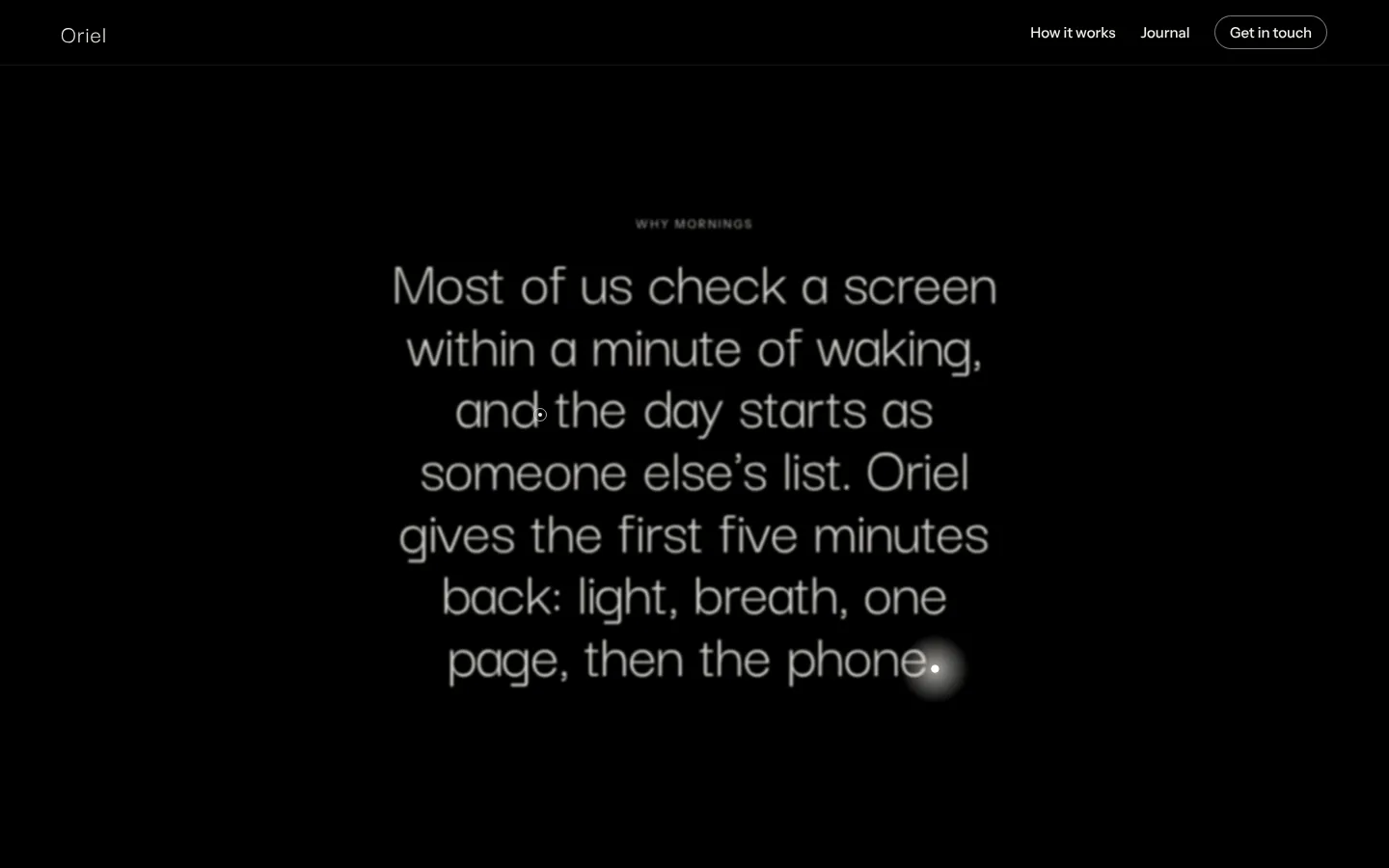
06A point of light bursts· Particle light
Images
Three ways to make the pictures. One art director.
Your own key
Sonder calls the image model straight from your machine, on your own account.
Higgsfield
Sonder writes the brief and the prompts; your agent makes the pictures with the Higgsfield MCP and hands them back.
Sonder credits
Made on Sonder's key from the allowance in your plan. Spending stops at zero; nothing runs on credit.
Whichever makes them, Sonder sets the style from the look and the brand, keeps one style across the whole site, and checks every picture before it is placed: the style, the size, and no stray text, logos or likenesses.
Hosting and domains
Live on a link, or on the client's domain.
sonder_publish uploads the site and gives you its link. Name the client's domain and it gives you the records to set at their DNS provider. It runs the floor first, and won't publish a site that fails it unless you say so.
sonder_publish({ project: "halyard-house", domain: "www.halyardhouse.example" })
Published: https://…/halyard-house
Their domain www.halyardhouse.example: add these records at their DNS provider: CNAME www → …
The floor passes.
Founding studios
Make your next pitch with Sonder.
We're opening Sonder to a small group of studios first: people who design and sell websites and already work with an agent. Leave your email and we'll send a link to sign in; founding studios get Sonder first and shape what it does next.
Invited to the web app? Open it.